
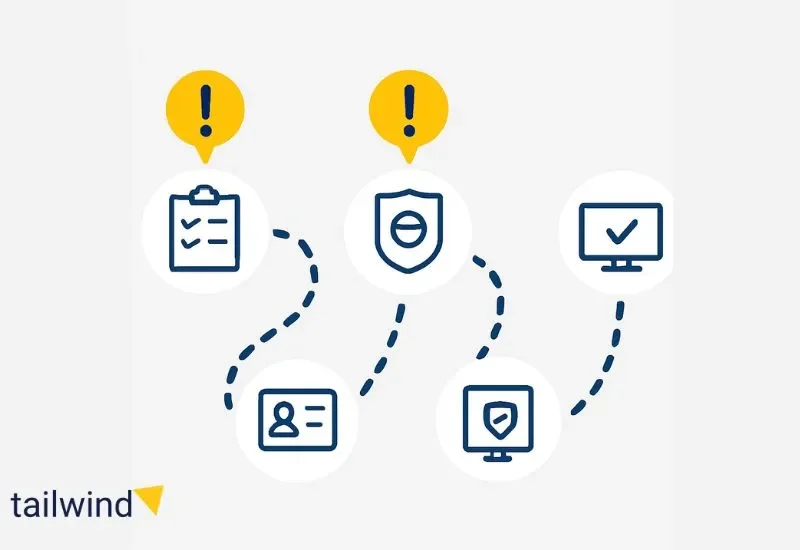
I-9 compliance is one of the most straightforward employment requirements in theory. Every employer must verify that every employee is authorized to work in the United States. Simple enough.
In practice, I-9 compliance is where many companies fail audits. Missing signatures, late completions, accepting wrong documents, and poor retention practices create violations that carry significant penalties.
This guide explains I-9 compliance requirements, how E-Verify works, what documents are acceptable, and how to avoid the mistakes that trigger Immigration and Customs Enforcement (ICE) audits.
TL;DR: Quick Summary
I-9 basics: Every employee must complete Form I-9 within 3 days of hire. Employers verify identity and work authorization using approved documents. Forms must be retained for 3 years after hire or 1 year after termination (whichever is longer).
E-Verify: Optional for most employers, mandatory for federal contractors. Electronic system that checks employment eligibility against government databases. Must be completed within 3 days of hire.
Common violations: Late completion, missing signatures, accepting wrong documents, failing to re-verify expired documents, no retention system.
Penalties: $252 to $2,507 per paperwork violation; $626 to $25,076 per knowingly hiring unauthorized workers.
Why I-9 Compliance Matters
The Immigration Reform and Control Act of 1986 requires all U.S. employers to verify the identity and employment authorization of every person they hire.
This applies to every employee, regardless of citizenship status. U.S. citizens, permanent residents, work visa holders, and other authorized workers all complete the same form.
Enforcement
ICE conducts I-9 audits through two mechanisms:
Notice of Inspection (NOI) ICE notifies you they’re conducting an audit and requests all I-9 forms within 3 business days.
Worksite Enforcement Operations Unannounced visits where ICE appears at your location and demands immediate access to I-9 records.
What Triggers Audits
- Employee complaints or reports
- Industry-specific enforcement initiatives (construction, hospitality, agriculture, manufacturing)
- Cross-referencing with Social Security Administration no-match letters
- Random selection as part of compliance sweeps • Referrals from other government agencies
The penalties for violations can be substantial, and they apply per employee, not per company.
Form I-9: The Basics
Who Must Complete Form I-9
Every person hired to perform work in exchange for wages or other remuneration must complete I-9.
This includes:
- Full-time employees
- Part-time employees
- Temporary workers
- Seasonal employees
- Students working on campus
Exceptions:
- Independent contractors (they verify their own work authorization)
- Employees hired before November 7, 1986 (who have worked continuously)
- Employees working entirely outside the United States
- Casual domestic workers in private homes (if irregular and intermittent)
The Three-Day Rule
Section 1 of Form I-9 must be completed by the employee on or before their first day of work.
Section 2 must be completed by the employer within 3 business days of the employee’s first day of work.
If employment lasts fewer than 3 days, Section 2 must be completed by the end of the first day of work.
Common Mistake: Waiting until after an employee starts to begin the I-9 process. If they start Monday, Section 2 must be completed by Thursday at the latest.
The Three Sections
Section 1: Employee Information and Attestation
Completed and signed by the employee. Requires:
- Full legal name
- Other names used (if any)
- Address
- Date of birth
- Social Security number (optional for some work authorization categories)
- Email and phone (optional)
- Citizenship/immigration status attestation
Common Mistakes:
- Employee leaves fields blank
- Employee checks wrong citizenship status
- Employee signs but doesn’t date
- Handwriting is illegible
Section 2: Employer Review and Verification
Completed by the employer or authorized representative within 3 business days. Requires:
- Physical examination of original documents (no copies or photos)
- Recording document information from List A or List B + List C
- Certification that documents appear genuine and relate to the employee
- Employer signature and date
Common Mistakes:
- Accepting copies or photos of documents
- Not physically examining documents (remote I-9s require special procedures)
- Telling employee which documents to present • Recording information incorrectly
- Missing employer signature or date
Section 3: Reverification and Rehires
Completed when:
- Employee’s work authorization expires (must re-verify before expiration)
- Employee is rehired within 3 years of original I-9
- Employee changes name
Common Mistakes:
- Forgetting to re-verify expiring documents
- Re-verifying U.S. citizens or permanent residents (not required)
- Creating new I-9 instead of using Section 3 for rehires
Acceptable Documents
Proper I-9 compliance requires understanding which documents establish identity and work authorization.
Download the current Form I-9 from USCIS I-9 Central and review the complete list of acceptable I-9 documents.
List A: Documents that Establish Both Identity and Employment Authorization
One document from List A is sufficient. Employee does NOT need to present List B or List C documents if presenting valid List A document.
List A Documents:
- U.S. Passport or U.S. Passport Card
- Permanent Resident Card (Green Card)
- Foreign passport with temporary I-551 stamp
- Employment Authorization Document (EAD) that contains photograph
- Foreign passport with Form I-94 showing admission as refugee or asylee
- Passport from Federated States of Micronesia or Marshall Islands with Form I-94
Common Mistakes:
- Refusing valid List A documents •
- Requiring additional documents when employee presents List A
- Accepting expired List A documents (most must be unexpired)
List B: Documents that Establish Identity
Combined with List C document to establish both identity and work authorization.
List B Documents:
- Driver’s license or ID card issued by state or outlying territory
- ID card issued by federal, state, or local government
- School ID card with photograph • Voter registration card
- U.S. Military card or draft record • Military dependent’s ID card
- U.S. Coast Guard Merchant Mariner Card
- Native American tribal document
- Driver’s license issued by Canadian government
For minors under 18:
- School record or report card
- Clinic, doctor, or hospital record
- Day-care or nursery school record
Common Mistakes:
- Accepting List B documents that have expired
- Refusing valid List B documents because they’re unfamiliar
- Accepting photocopies
List C: Documents that Establish Employment Authorization
Combined with List B document.
List C Documents:
- Social Security card (unrestricted)
- Birth certificate issued by state, county, or municipal authority
- Native American tribal document
- U.S. Citizen ID Card (Form I-197)
- Identification Card for Use of Resident Citizen in the United States (Form I-179)
- Employment authorization document issued by DHS (certain forms)
Common Mistakes:
- Accepting restricted Social Security cards as List C (if card says “Not valid for employment” or “Valid for work only with DHS authorization,” it’s not acceptable List C)
- Refusing valid tribal documents
- Requiring specific List C documents
Document Selection Rules
Critical Rules:
- Employee chooses which documents to present
- Employer cannot specify which documents (illegal under anti-discrimination provisions)
- Employer cannot refuse valid documents from the lists
- Employer cannot require additional documents beyond what’s required
- Documents must appear genuine and relate to the employee
- Documents must be unexpired (with limited exceptions)
What if documents appear fraudulent?
If documents reasonably appear genuine and relate to employee, accept them. You’re not a document fraud expert. If you have genuine concern, consult immigration attorney before refusing.
E-Verify
E-Verify enhances I-9 compliance by electronically verifying employment eligibility against government databases.
Learn more about E-Verify enrollment and requirements.
What E-Verify Is
Electronic system operated by Department of Homeland Security and Social Security Administration that compares information from Form I-9 to government records.
Who Must Use E-Verify
Mandatory for:
- Federal contractors and subcontractors with Federal Acquisition Regulation (FAR) E-Verify clause
- Employers in states with mandatory E-Verify laws (Alabama, Arizona, Georgia, Mississippi, North Carolina, South Carolina, Tennessee, Utah)
- Employers with state contracts in some states
Optional for:
- All other U.S. employers
How E-Verify Works
Timeline:
Must create E-Verify case within 3 business days of employee’s start date (after completing Section 2 of I-9).
Process:
- Complete Form I-9 (as normal)
- Enter employee information into E-Verify system
- System compares I-9 data against SSA and DHS records
- Receive result: Employment Authorized, Tentative Nonconfirmation (TNC), or DHS Verification in Process
If Employment Authorized:
No further action needed. Employee is work authorized.
If Tentative Nonconfirmation:
- Inform employee of TNC within one business day
- Give employee opportunity to contest
- If employee contests, allow time to resolve (do not terminate)
- If employee doesn’t contest or mismatch isn’t resolved, terminate employment
E-Verify Requirements
If enrolled in E-Verify, you must:
- Use E-Verify for all new hires (can’t selectively verify)
- Post notices about E-Verify participation
- Provide E-Verify notice to employees
- Complete verification within required timeframes
- Not pre-verify before hire
- Not use for existing employees (except federal contractors)
Common Mistakes:
- Using E-Verify selectively (only for certain employees)
- Pre-verifying applicants before hire
- Terminating employee during TNC resolution period
- Using E-Verify for existing employees when not permitted
Photo Matching
E-Verify includes photo matching for some documents. System displays photo from DHS or SSA records for comparison to document employee presented.
Employer verifies photo matches. If discrepancy, follow TNC process.
Re-Verification Requirements
Understanding when re-verification is required is essential for ongoing I-9 compliance.
When Re-Verification Is Required
Must re-verify when:
- Employee’s work authorization expires (List A or List C document with expiration date)
- Re-verify before expiration or on expiration date at the latest
Do NOT re-verify:
- U.S. citizens (including those who presented U.S. passport)
- Lawful permanent residents (green card holders)
- Documents that don’t expire
How to Re-Verify
Use Section 3 of original Form I-9. Do not complete new Form I-9.
Employee presents unexpired document showing continued work authorization (either new List A or new List C).
Record document information in Section 3, date, and sign.
Tracking Expirations
Build system to track document expiration dates and trigger re-verification before documents expire.
Use HRIS systems, spreadsheets, or calendar reminders. Missing re-verification deadlines is common violation.
Remote I-9 Verification
COVID-19 created temporary flexibility for remote I-9 verification. Current rules may differ from temporary pandemic policies.
Standard Rule
Employer or authorized representative must physically examine documents in person.
Alternative Procedure (when permitted)
Some circumstances allow alternative verification procedures. Check current USCIS guidance for remote verification options and requirements.
If using alternative procedures:
- Follow required procedures exactly
- Document use of alternative procedure
- Be prepared to conduct physical document inspection when required
Common I-9 Violations
The most frequent I-9 compliance violations include late completion, missing signatures, and accepting wrong documents.
Violation #1: Late Completion or Missing I-9s
The violation: Section 2 not completed within 3 business days, or no I-9 on file.
Penalty: $252 to $2,507 per form (depends on size of business and whether first offense).
How to avoid: Implement tracking system for new hire I-9 completion. Assign responsibility. Follow up before deadline.
Violation #2: Incomplete Forms
The violation: Missing signatures, dates, or required information.
Penalty: $252 to $2,507 per form.
How to avoid: Review forms for completeness before filing. Train staff on required fields. Use checklists.
Violation #3: Accepting Unacceptable Documents
The violation: Accepting documents not on Lists A, B, or C, or accepting expired documents.
Penalty: $252 to $2,507 per form.
How to avoid: Train staff on acceptable documents. Post acceptable documents list where staff can reference it. When in doubt, consult USCIS guidance.
Violation #4: Discrimination
The violation: Specifying which documents employees must present, refusing valid documents, treating employees differently based on citizenship or immigration status.
Penalty: $252 to $2,507 per individual for unfair documentary practices; additional penalties for discrimination.
How to avoid: Let employees choose documents. Accept all valid documents equally. Never specify documents. Train staff on anti-discrimination requirements.
Violation #5: Failing to Re-Verify
The violation: Not completing Section 3 when work authorization expires.
Penalty: $252 to $2,507 per form.
How to avoid: Track document expiration dates systematically. Set reminders 30-60 days before expiration. Complete Section 3 before or on expiration date.
Violation #6: Improper Retention
The violation: Not retaining I-9s for required period, or storing improperly.
Penalty: $252 to $2,507 per form.
How to avoid: Retain I-9s for 3 years after hire OR 1 year after termination (whichever is later). Keep separate from personnel files. Organize for easy retrieval.
Penalties for Violations
Paperwork Violations
Range: $252 to $2,507 per form
Factors affecting penalty amount:
- Size of business
- Good faith effort to comply
- Seriousness of violation
- Whether pattern or practice
- History of violations
Example: Company with 50 employees, all with incomplete I-9s, facing audit: potential $12,600 to $125,350 in penalties.
Substantive Violations
Knowingly hiring unauthorized workers: $626 to $25,076 per unauthorized worker (higher for repeat offenders)
Continuing to employ unauthorized workers: $626 to $25,076 per unauthorized worker
Pattern or practice violations: Criminal penalties including fines up to $3,000 per unauthorized worker and up to six months imprisonment
Understand ICE worksite enforcement procedures and penalty structures.
Best Practices for I-9 Compliance
Companies that maintain good I-9 compliance systems follow these practices consistently.
Designate Responsibility
Assign specific person(s) responsible for I-9 completion and retention. Backup person for when primary is unavailable.
Train Staff Thoroughly
Train everyone who completes I-9s on:
- Three-day timeline
- Acceptable documents
- Document examination
- Section 2 completion
- Re-verification
- File retention
Provide job aids and checklists. Update training when rules change.
Implement Tracking Systems
Track:
- Hire dates and Section 2 completion deadlines
- Document expiration dates
- Re-verification due dates
- Retention period end dates
Use HRIS systems, spreadsheets, or calendar reminders.
Maintain Separate I-9 Files
Keep I-9s separate from personnel files. Organize by hire date or alphabetically for easy retrieval during audits.
Access should be restricted to authorized personnel only.
Conduct Self-Audits
Audit I-9s at least annually:
- Review for completeness
- Check dates for compliance with three-day rule
- Verify re-verification was completed
- Confirm retention periods
- Identify and correct errors
Fix problems before ICE audit finds them.
Use Current Forms
USCIS periodically updates Form I-9. Using outdated forms is violation.
Check USCIS I-9 Central for current version. Subscribe to USCIS updates.
Document Alternative Verification
If using alternative verification procedures (remote verification), document thoroughly:
- Why alternative procedure was used
- Which procedure was followed
- When physical inspection will occur (if required)
Stay Current on Changes
USCIS regularly updates:
- Form I-9 (must use current version)
- List of acceptable documents
- Remote verification procedures
- E-Verify requirements
Subscribe to USCIS email updates and check for changes quarterly.
Respond Appropriately to ICE Audits
If you receive a Notice of Inspection:
- Do not panic
- Produce requested documents within 3 business days
- Do not create or alter documents after receiving notice
- Consult immigration attorney immediately
- Cooperate fully with inspection
Never:
- Fabricate or alter I-9s after receiving NOI
- Destroy I-9s
- Complete missing I-9s after NOI (makes it worse)
- Lie to ICE investigators
The Bottom Line
I-9 compliance is mandatory, straightforward in concept, and detailed in execution. Most violations result from poor systems, not intentional wrongdoing.
Companies that maintain good I-9 compliance:
- Complete forms within required timeframes
- Train multiple staff on proper procedures
- Track re-verification dates systematically
- Conduct regular self-audits
- Store forms properly with restricted access
Don’t wait for an ICE audit to discover your I-9 problems. A self-audit costs time and attention. An ICE audit costs thousands in penalties plus legal fees.
The most successful approach to I-9 compliance is building systematic processes that ensure every I-9 is completed correctly, on time, and retained appropriately.
Need I-9 Compliance Support?
At Tailwind, we help companies build and maintain I-9 compliance systems, particularly for government contractors and companies in high-enforcement industries.
We conduct I-9 audits, train staff on verification procedures, build tracking systems for re-verification, implement E-Verify programs, and remediate violations before they become audit findings.
Book a free I-9 compliance assessment to identify your current risk level and get a roadmap for remediation.
Because the best time to fix I-9 compliance issues is before ICE asks to see them.